BLACK FRIDAY SALE30% OFF every FIGMENT asset and tierDiscounted at checkoutEnds in 6d 23h 59m 59s

Realistic Animated Tree Shadow Gobos for 3D and VFX

135 animated tree shadows that sway in the wind — five tree types, each in three sizes, three viewing angles and three seasons. 2048 × 2048 PNG, 240 frames, every one loopable.

COMPARE TREES BUY VOLUME 1
Try free sample
before buying

What are animated tree shadow gobos?

Animated tree shadow gobos are looping textures you place in front of a light — on a flat card hidden from the camera — so it casts the moving shadow of a tree in the wind, without a tree in the scene. TREESHADE VOLUME 1 is 135 of them, from five trees: Apple, English Oak, Silver Birch, White Pine and Date Palm. Each tree comes in three sizes, three viewing angles and three seasons — 27 variations per tree.

Five tree types

Each pack holds one tree type with all 27 of its variations — three sizes, three viewing angles and three seasons.

01 APPLE
Compact orchard crown

A low, rounded crown of short, dense branches — the garden and orchard tree.

02 ENGLISH OAK
Broad, open canopy

Wide-spreading limbs and lobed leaves, so the shadow is large with open pockets of light.

03 SILVER BIRCH
Fine, airy foliage

Slender, drooping branches and small leaves that flutter in the lightest breeze.

04 WHITE PINE
Layered evergreen

Tiers of soft needle clusters on long horizontal branches.

05 DATE PALM
Tropical fronds

A crown of long, arching fronds on a single tall trunk.

Three sizes

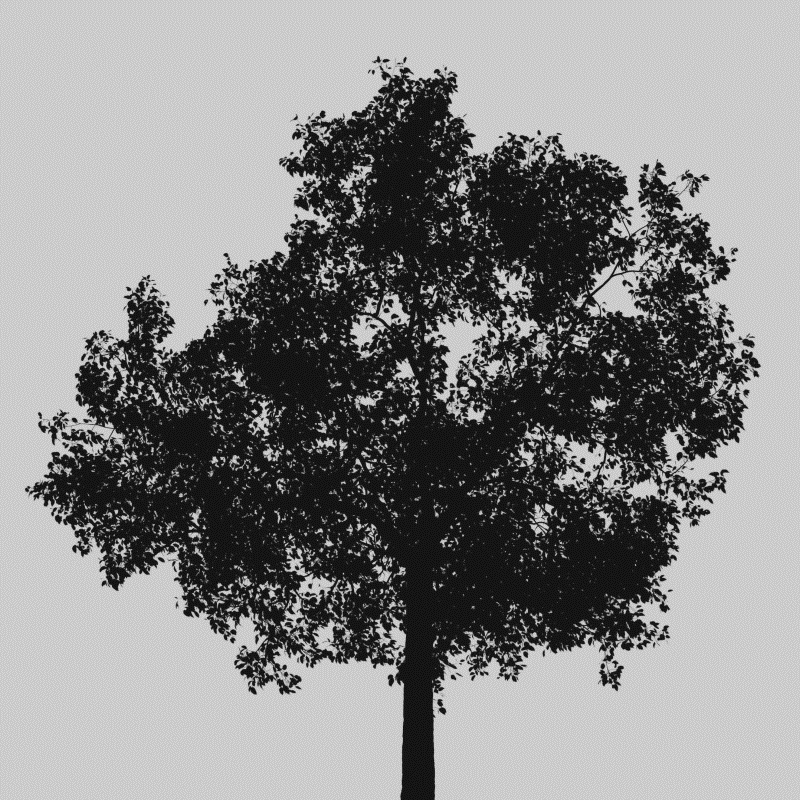
Every tree comes in three sizes: large, medium and small. Shown here: English Oak in fall.

LARGE
MEDIUM
SMALL

Angles and seasons

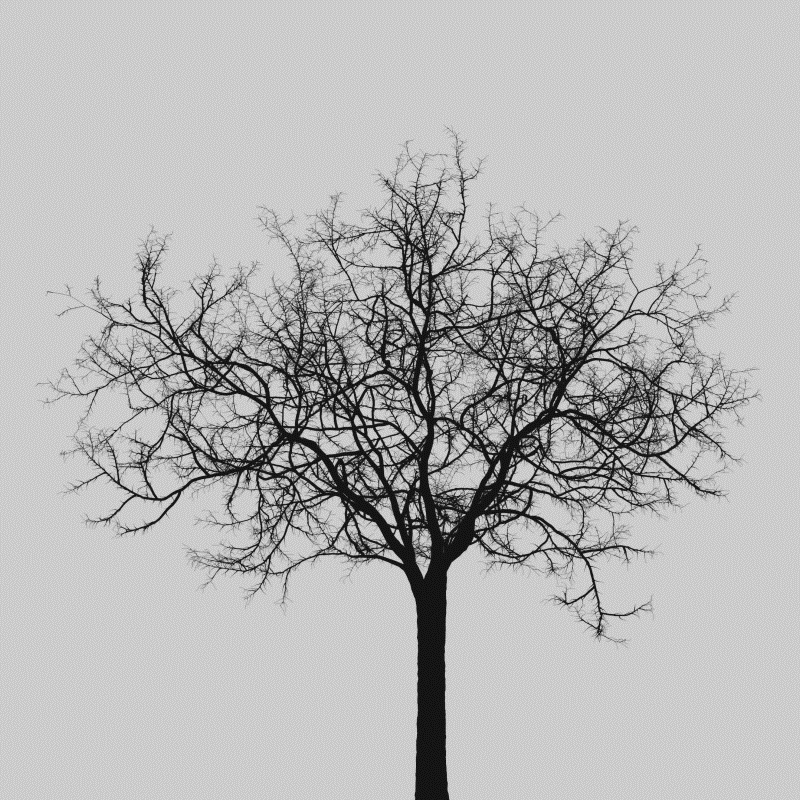
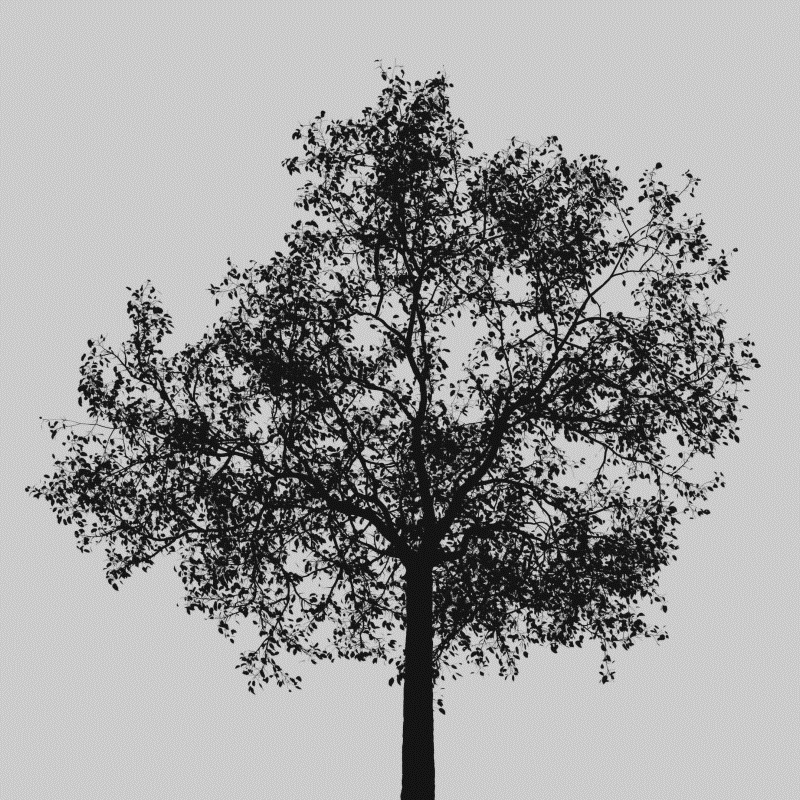
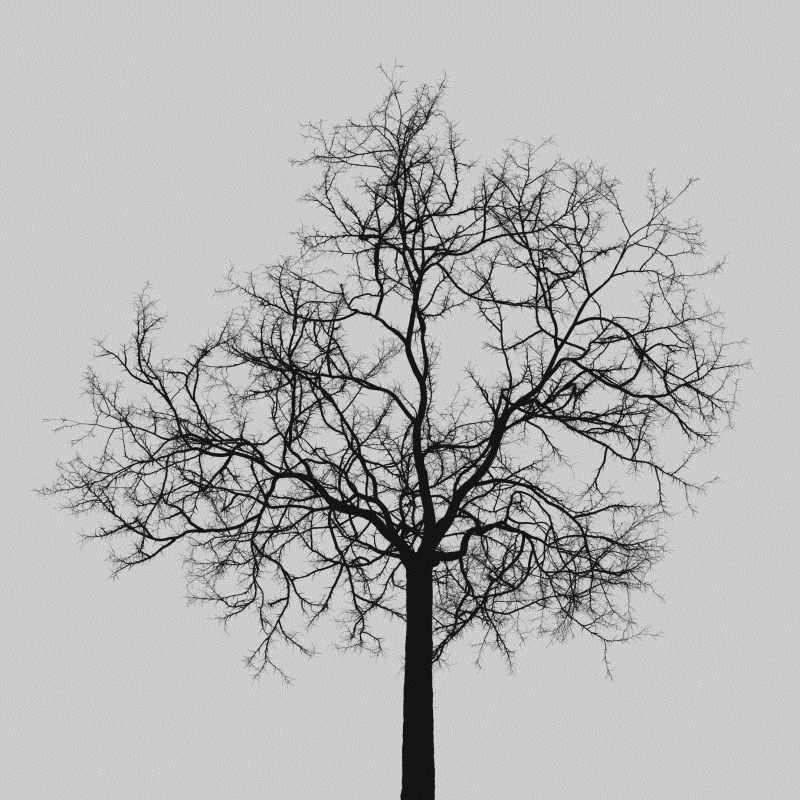
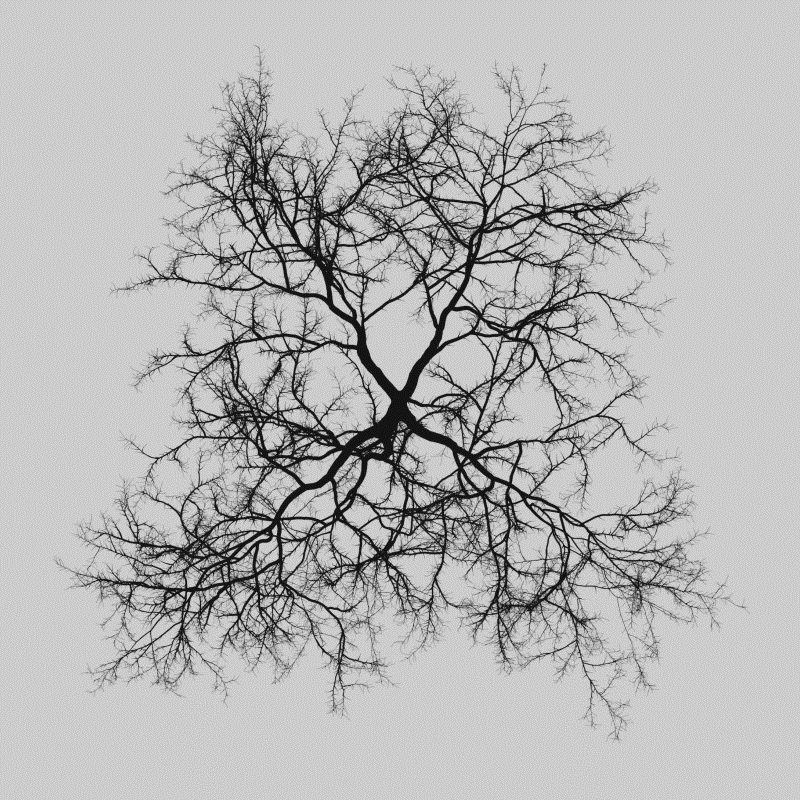
Every tree comes in three viewing angles and three seasons, at each of three sizes — 27 variations per tree. Shown here on Apple at the large size.
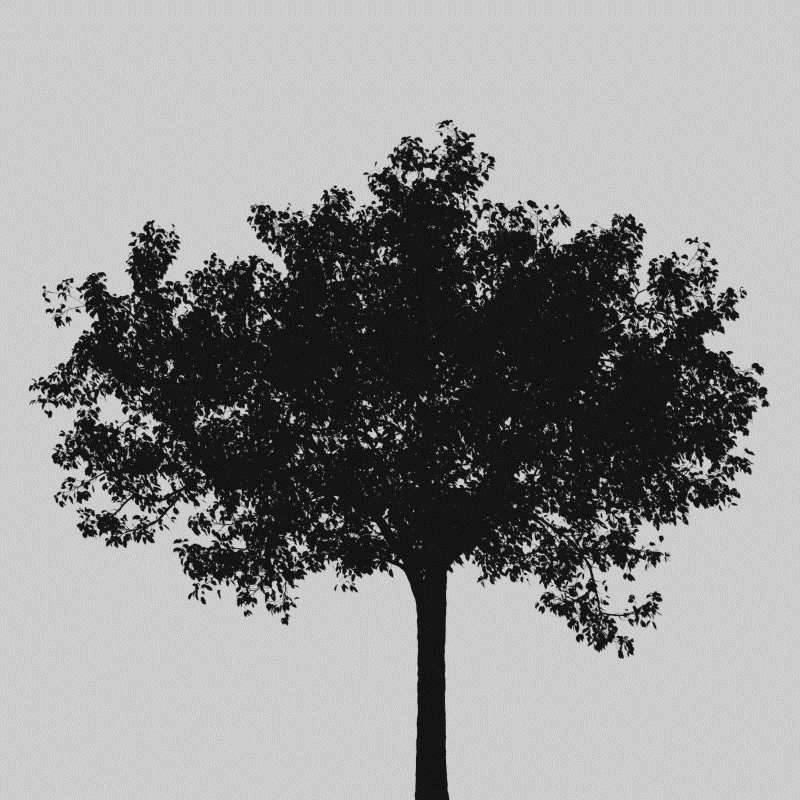
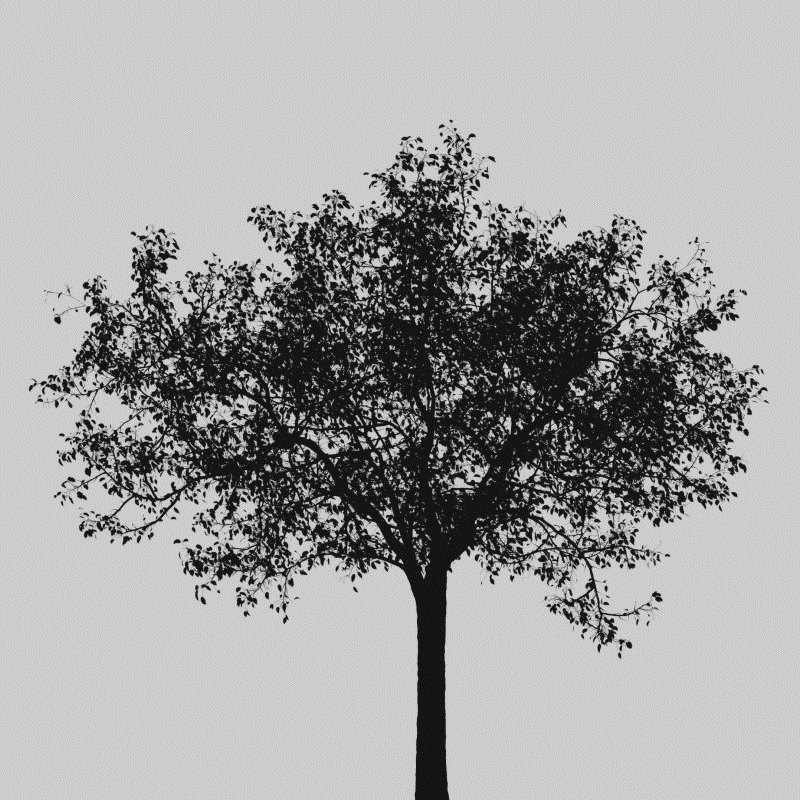
Apple tree shadow, front view, summer
SUMMER
Apple tree shadow, front view, fall
FALL
Apple tree shadow, front view, winter
WINTER
FRONT
Seen from the side

The tree in profile, for a light set low behind it — a long shadow thrown across a wall, a façade or the ground.
Shown at the large size
Apple tree shadow, angled view, summer
SUMMER
Apple tree shadow, angled view, fall
FALL
Apple tree shadow, angled view, winter
WINTER
ANGLE
Seen from above, at an angle

Between profile and overhead, for a sun partway up the sky.
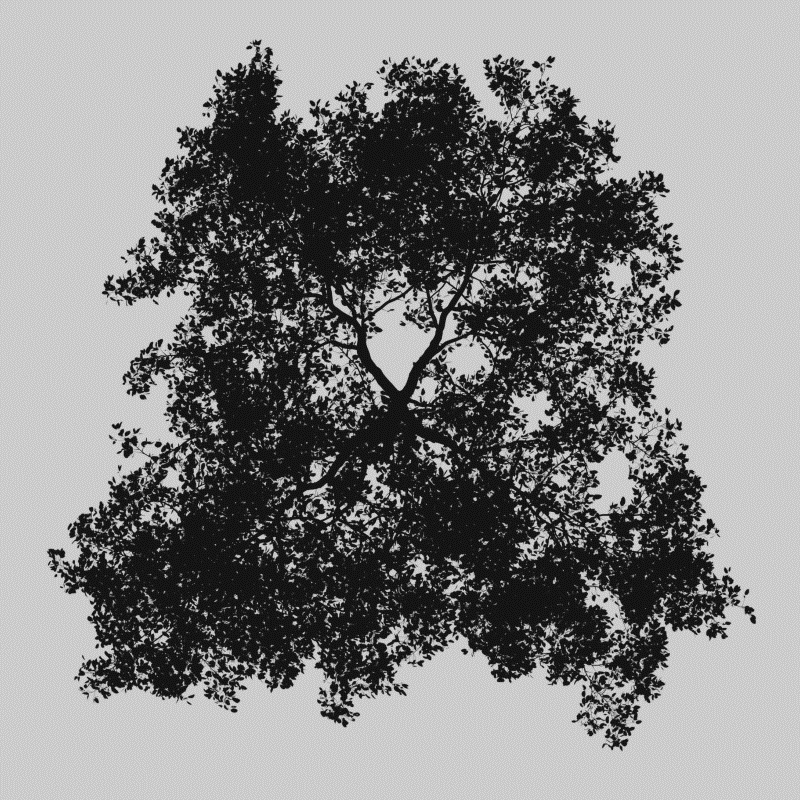
Shown at the large size
Apple tree shadow, top view, summer
SUMMER
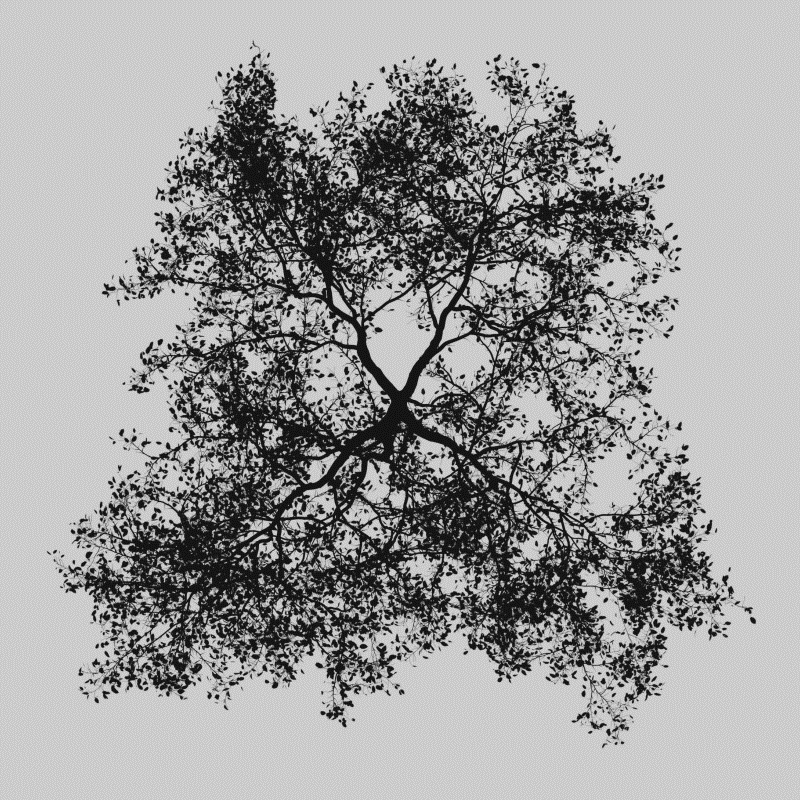
Apple tree shadow, top view, fall
FALL
Apple tree shadow, top view, winter
WINTER
TOP
Seen from straight overhead

The crown in plan, for a high midday sun — a shadow pooled on the ground under the tree.

Shown at the large size

Playback speeds

Every texture is animated across 240 frames. Play every frame for slow motion — and every nth for normal and fast motion.

SLOW
NORMAL
FAST
MULTIPLE SPEED OPTIONS
One texture, three tempos

Play every frame for slow motion, every second for normal and every third for fast — resulting in perfect loops at 240, 120 and 80 frame intervals. Typical use is normal speed, but slow and fast are always just a click away.

Examples with different playback rates

Resolution

2048 × 2048 px across 240 frames for each texture — perfectly loopable.

Compare every texture at full 2K resolution.

Tree shadow "gobos" vs. 3D simulated trees

TREE GOBOS

A tree gobo is a flat card with an animated tree texture applied to it — complete with thousands of leaves fluttering in the wind. Hidden from the camera, it can be moved in front of any light source, so it casts a moving tree shadow without needing any animated tree geometry. Adding a tree gobo to a shot costs next to nothing.

Use tree gobos when the tree itself is out of shot — a shadow across a façade, a terrace or a street, or an interior lit through a window.

SIMULATED 3D TREES

A simulated 3D tree casts its shadow from real geometry, so the shadow matches the tree exactly. But first the tree has to be built or sourced and then animated or simulated to react to wind forces — which can take hours, if not days to get right, and the resulting animated geometry is heavy to work with on even the most powerful workstation.

Use simulated 3D trees when the tree is in shot, the camera moves around it, or the shadow has to match one specific tree in the scene.
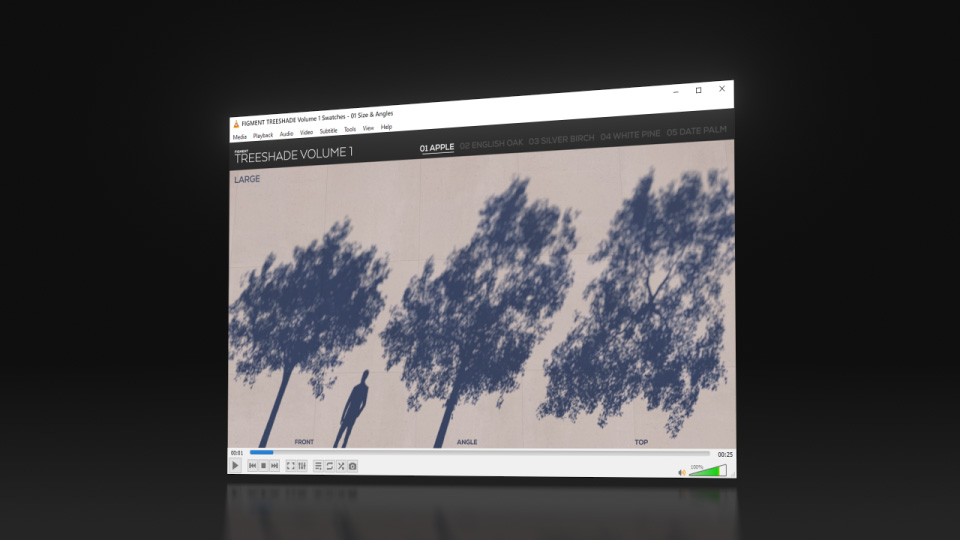
The Treeshade Volume 1 swatch video playing in a media player, showing the Apple shadow texture from the front, at an angle and from the top
SWATCH VIDEO
Quickly find the texture you need

The swatch video plays every tree texture side by side. Compare them at a glance and pick the right tree for your shot, without opening each one in a RAM player or compositor.

Included with the Volume and every pack

TREESHADE VOLUME 1

135 animated tree shadow gobo textures in 2K — perfectly looping
•5 tree packs — 01 APPLE, 02 ENGLISH OAK, 03 SILVER BIRCH, 04 WHITE PINE, 05 DATE PALM
•3 sizes per tree — large, medium, small
•3 viewing angles per size — front, angle, top
•3 seasons per angle — summer, fall, winter
•135 animated textures — 27 in every pack
•2048 × 2048 px — PNG 8-bit
•Loops seamlessly — 240 frames each, in 3 playback speeds
•Volume 1 — six 3ds Max & V-Ray example scenes
Free sample
One-person business · 1 user
Small business or team · 1–5 users
Large business or studio · Unlimited users
BLACK FRIDAY30% OFF
Discounted at checkout
€99
€299
€799
€150 separately
€450 separately
€1,200 separately
FREELANCE LICENSE · ALL 5 PACKS
TEAM LICENSE · ALL 5 PACKS
STUDIO LICENSE · ALL 5 PACKS
BUY VOLUME 1 BUY VOLUME 1 BUY VOLUME 1
11.3 GB · instant download

Or buy packs separately

27 animated textures per pack

Pack prices follow the license you pick above.
All prices exclude VAT and sales tax — added at checkout where either applies.

Product trailer

Watch the product launch video with rendered examples.

Texture overview

Watch the textures compared in both raw and real world scenes.

Try before you buy

The free sample is a single tree texture — 01 APPLE, medium size, front view, summer — at 512 × 512 px resolution and perfectly loopable. Set it up as a gobo in one of your own scenes and check that it works with your creative software or renderer before you spend anything.

The sample is covered by the Personal license — evaluation and personal work, not client projects; every paid tier includes commercial use. Purchases are final, so try the sample first.

TREESHADE VOLUME 1BEST DEAL
All five packs, all 135 textures

Five tree types, each in three sizes, three viewing angles and three seasons — 240 frames per texture, all looping. Save 30% compared to buying each pack individually.

One-person business · 1 user
Small business or team · 1–5 users
Large business or studio · Unlimited users
BLACK FRIDAY30% OFF
Discounted at checkout
€99
€299
€799
€150 separately
€450 separately
€1,200 separately
FREELANCE LICENSE · ALL 5 PACKS
TEAM LICENSE · ALL 5 PACKS
STUDIO LICENSE · ALL 5 PACKS
BUY VOLUME 1 BUY VOLUME 1 BUY VOLUME 1
All prices exclude VAT and sales tax — added at checkout where either applies.

How to set up animated tree shadow gobos

01
Load the tree sequence as an animated texture
Point an image-sequence texture at any frame of a tree texture, so the frames advance with the timeline. Load it as raw data, with no color correction, and set its playback speed to 2× for normal motion.
02
Build the gobo card
Create a flat plane and give it a material with opacity set by the tree sequence, so the plane takes the shape of the branches and leaves. The plane is now your tree gobo.
03
Hide the gobo from the camera
In the gobo’s visibility settings, turn off its visibility to the camera and to reflections and refractions. The gobo stays in the scene and still blocks light, so its shadow renders while the gobo itself never shows.
04
Place the gobo in front of the light
Put the gobo between your light and the surface you want shaded, and turn it to aim the shadow. Any light that casts shadows will do, the sun included.
05
Move it to set sharp or soft
A gobo close to the surface casts a crisp shadow; move it towards the light, or make the light larger, and the shadow softens. It works like a stage gobo, except the branches and leaves move. Need another tree? Clone the gobo object and create copies of your tree material with the same tree sequence offset to a different time, or mix up your shot with different tree types, angles, sizes and seasons.
 
Optional: Open the example scenes
The six 3ds Max scenes in TREESHADE Volume 1 show the setup finished, built for V-Ray 6+ with Chaos Cosmos assets.
Watch the quick setup
Load the textures into 3ds Max, build the gobo, set the playback rate and place it in the light — everything you need to get started.
Watch more FIGMENT tutorials

Licensing

Every product comes in three license tiers. Pick by the size of your organization, then by how many people will have access — you choose on this page, before checkout.

FREELANCE
One-person business
TEAM
Small business or team
STUDIO
Large business or studio
Users per location
1
1–5
Unlimited
Commercial client work
Shared with coworkers
Single tree pack
27 textures per pack
€30
€90
€240
TREESHADE Volume 1
5 packs · 135 textures
€99
€299
€799
FREELANCE
One-person business
Users per location
1
Commercial client work
Shared with coworkers
Single tree pack
27 textures per pack
€30
TREESHADE Volume 1
5 packs · 135 textures
€99
TEAM
Small business or team
Users per location
1–5
Commercial client work
Shared with coworkers
Single tree pack
27 textures per pack
€90
TREESHADE Volume 1
5 packs · 135 textures
€299
STUDIO
Large business or studio
Users per location
Unlimited
Commercial client work
Shared with coworkers
Single tree pack
27 textures per pack
€240
TREESHADE Volume 1
5 packs · 135 textures
€799
Not sure which you need?
Freelance is for one-person businesses. Any organization with more than one person starts at Team, even if only one person opens the files.
Already own a lower tier or a smaller product?
Upgrade any time. What you own counts at its current regular price.Contact support
Use it in client work
Film, broadcast, advertising, games and ArchViz — on every paid tier.
Pay once, keep it forever
One payment covers every project. No subscriptions, no royalties, re-download any time.
Not allowed
Reselling or redistributing the files themselves — in another asset pack, template or library. Full license

Frequently asked questions

Still unsure about something? Ask me anything

What are animated tree shadow gobos?
+
The moving shadow a tree throws when the wind stirs its branches and leaves. Each texture is a 240-frame animated sequence you map onto a card (gobo), as an opacity map, and place in front of a light, so the tree shadow moves as your shot advances in time.
What is in the example scenes?
+
Six 3ds Max 2023 scenes for V-Ray 6+, using Chaos Cosmos assets, that show the textures set up and lit. Objects highlighted in orange (see the Gallery) are not included and can be replaced with your own. The scenes come with the Volume only, because they use trees from more than one pack.
Which renderers do these work with?
+
Any renderer that can load an animated bitmap sequence and use it as an opacity map on a plane, advance it with the timeline, and hide that plane from the camera while it still casts its shadow. The example scenes are built for 3ds Max 2023 with V-Ray 6+.
What else can I use animated tree shadows for?
+
Beyond a gobo in front of a light in a 3D render, they work as an animated texture on a surface or as a pass in compositing — and projected onto a physical set, for stop-motion or stage work.
What is the difference between front, angle and top?
+
Front is the tree in profile, for a light set low behind it. Top is the crown seen from straight overhead, for a high sun. Angle sits between the two, for a sun partway up the sky. In real world use, the trees are surprisingly flexible in how you can mix and rotate different angles and still get realistic results — so never think of the light direction as a hard rule for which angles you can or cannot use.
What changes between the seasons?
+
The main tree trunk and branches stay the same across every season for the same tree type, size and angle. What changes is the density of leaves: Summer has the highest density, Fall a bit less, and Winter least of all, or none — depending on the type of tree. If you want to animate a tree transitioning from summer to fall and winter, you can sync up their animations to match and fade between them.
Can I mix trees, angles or seasons in one scene?
+
Yes. Every texture is its own sequence, so you can create and place several gobos in front of your lights — a different tree, size or angle on each, or use the same tree with a time offset and different gobo size.
What resolution and format are the textures?
+
2048 × 2048, delivered as PNG 8-bit, 240 frames per texture. Every texture loops without a visible cut.
Can I change the speed of the wind?
+
Yes. Playing every nth frame gives you slow, normal and fast motion without re-timing or interpolation artifacts.
Do the sequences loop seamlessly?
+
Yes. They loop without a cut, so one texture covers any shot length.
Is there a free sample?
+
Yes — one 01 APPLE texture in medium size, front view and summer, at 512 × 512 px and perfectly loopable.
Can I buy just one pack?
+
Yes. Every tree pack is sold on its own — see What’s inside above for everything each pack includes. TREESHADE Volume 1 — all five packs — saves 30% compared to buying each pack separately, and adds six example scenes.
Can I use these in commercial client projects?
+
Yes, at every license tier, with no per-project fees or royalties. However, sharing the files with a client is not permitted — they need their own license. And reselling the assets as part of another asset pack is not permitted.
Can I render on a render farm or cloud service?
+
Yes, at every tier — including a commercial farm. Sending the assets to a farm as part of your scene is ordinary use and needs no extra license.
Which license do I need — Freelance, Team or Studio?
+
Freelance is for one-person businesses. If you work at a company, even as the only artist using the files, choose Team for up to 5 users per location, or Studio for 6 or more. Schools and institutions are licensed the same way.
Can I upgrade later?
+
Yes — to a higher license tier, or to a larger product that includes what you own, such as the Volume that holds your packs, or the Asset Collection. What you own counts at its current regular price, whatever you paid for it, and you pay only what’s left of the new price. Email me at support@figment.dk.

Related products

Prices exclude VAT and sales tax. Where either applies, it’s added at checkout and included in the total you see before paying. Questions? support@figment.dk
© 2008–2026 FIGMENT. All Rights Reserved.