BLACK FRIDAY SALE30% OFF every FIGMENT asset and tierDiscounted at checkoutEnds in 6d 23h 59m 59s

Animated 3D Curtains for ArchViz and VFX

30 pre-simulated Alembic curtains in two widths and three wind strengths, each 360 frames and loopable. Scanned cloth textures included, tileable up to 8K.

COMPARE TYPES BUY VOLUME 1
Try free sample
before buying

What are animated 3D curtains?

Animated 3D curtains are pre-simulated cloth delivered as Alembic geometry, so they arrive in your scene already moving in the wind — no cloth simulation to set up. CURTAINS VOLUME 1 is 30 of them: Sheer and Wave, ceiling-suspended in uniform S-curve folds, each with and without walls blocking the wind, in two widths and three wind strengths — plus WARP, which adds subtle motion to static 3D curtains you already own.

Five curtain types

Each pack holds one curtain type with all six of its variations. Sheer and Wave come in two widths and three wind options; Warp comes wide only, with and without walls.

01 SHEER
Thin, light cloth

Sheer cloth that moves and folds easily in the wind.

02 SHEER WALLED
Sheer against walls

Sheer cloth simulated with invisible walls that block part of the wind.

03 WAVE
Denser drape

Heavier cloth that resists the wind and holds its folds.

04 WAVE WALLED
Wave against walls

Wave cloth simulated with invisible walls that block part of the wind.

05 WARP
Animate your own curtains

Adds subtle motion to static 3D curtains you already own.

Widths and wind

Sheer and Wave curtains come in two widths and three wind strengths — Warp comes in Wide width only. Watch examples of every curtain moving in the animation overview.
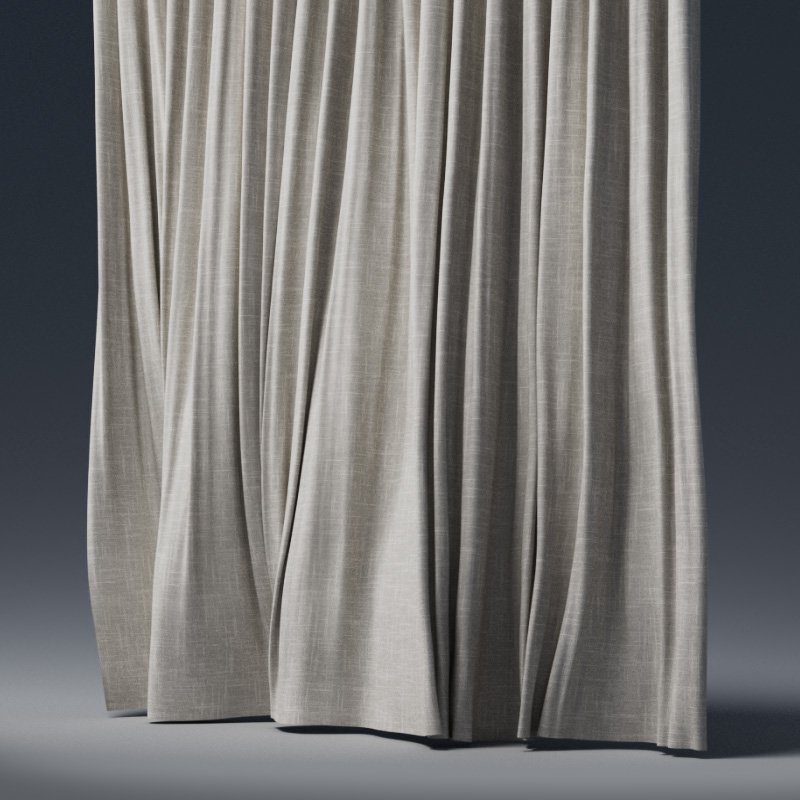
Regular-width curtain, 01 SHEER
REGULAR
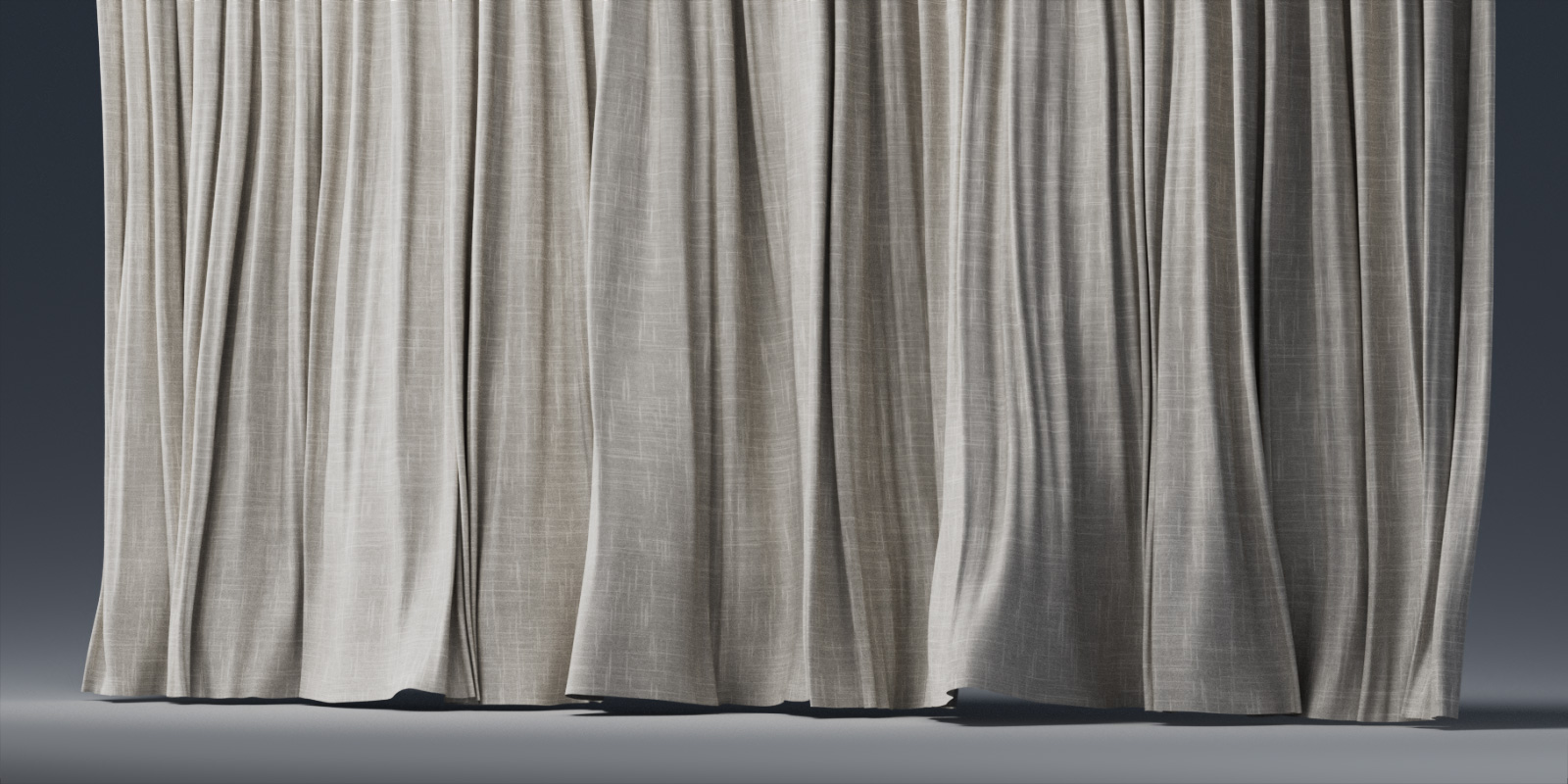
Wide curtain, 01 SHEER
WIDE
WIDTHS
210 × 250 or 420 × 250 cm

Curtains come in two widths — Regular and Wide; WARP comes Wide only.

Shown on 01 SHEER
LIGHT
MEDIUM
STRONG
WIND
Light, medium and strong

Every curtain ships with three wind strengths.

Shown on 01 SHEER

Warp

Subtle motion for the static 3D curtains you already own — two styles, regular and walled, both wide, in three wind options each.
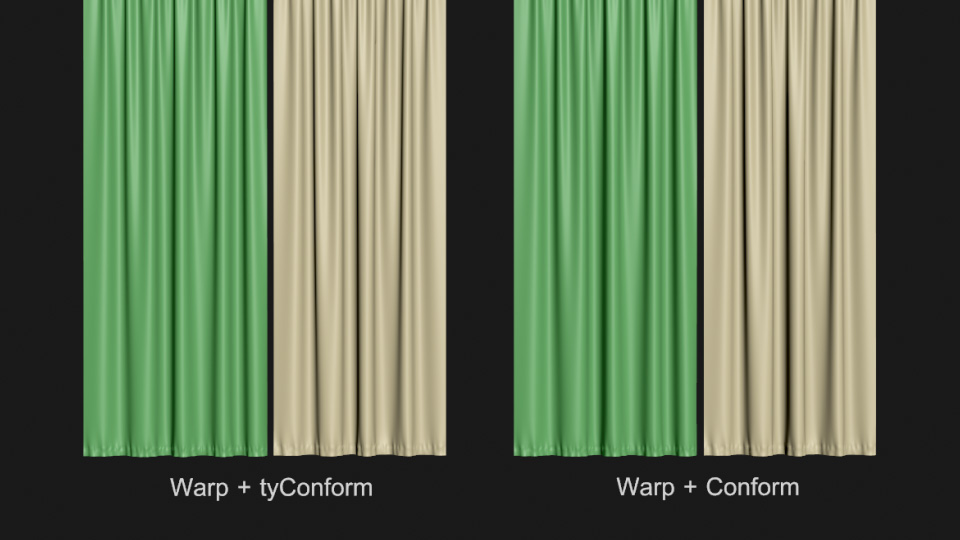
Warp with tyConform and Warp with Conform, side by side
05 WARP
6 curtains — Two example setups

The Warp example scene for 3ds Max shows the working setup using both the native Conform and tyConform (tyFlow), so you can see the mechanics of how to use the warp curtains.

Static image: Example scene included 05 WARP and FREE SAMPLE

Playback speeds

Every curtain is 360 frames and loops. Set slow or fast motion in your software's Alembic playback settings — one simulation, any tempo.

MULTIPLE SPEED OPTIONS
One simulation, any tempo

Alembic playback lets you slow a curtain down or speed it up inside your own software — a calm interior or a livelier shot from the same file.

Playback speed can even be animated over time

Resolution

Cloth textures scanned by CG-Source, with masks and displacement maps — up to 8K for tileable color + normal maps, and up to 16K for full width curtain maps.

Compare curtains, texture maps and masks — with rendered previews.

UV mapping

Every curtain carries two UV channels, so one model takes both the full-curtain textures and the tileable fabric.
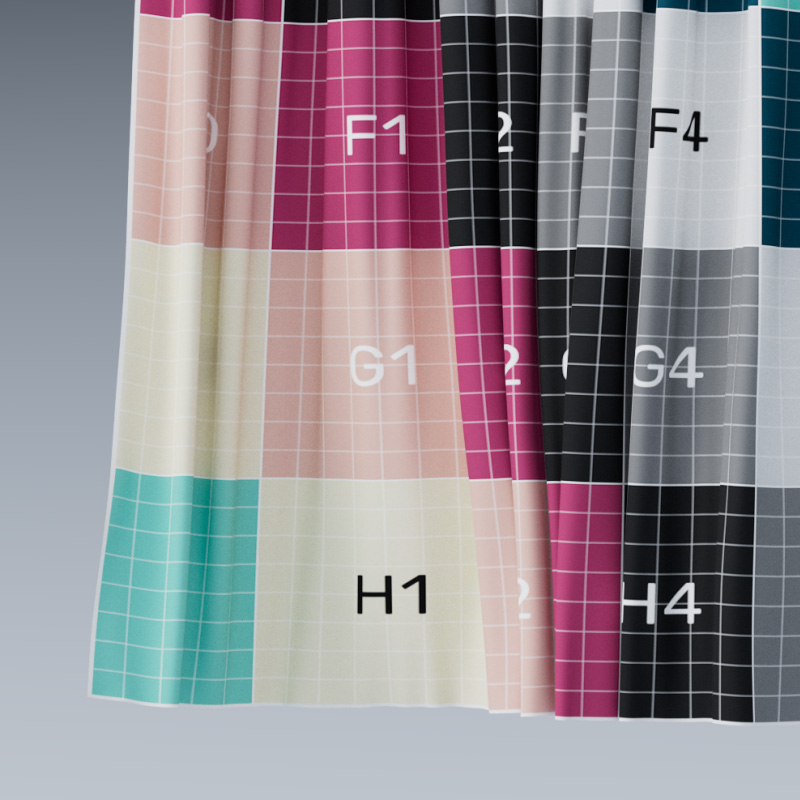
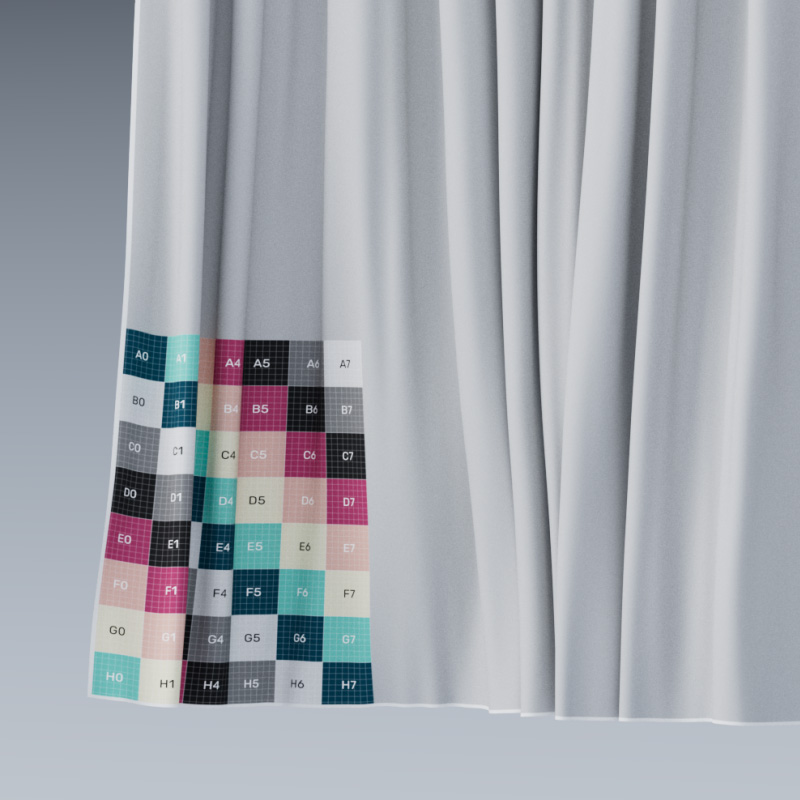
Curtain on UV1, one texture across its full size
UV1 · FULL CURTAIN SIZE
The same curtain on UV2, tileable fabric at real-world scale
UV2 · REAL-WORLD SCALE
UV1 + UV2
Pick the texture, keep the model

UV1 stretches one texture across the whole curtain — for the full-curtain cloth textures, masks and displacement. UV2 holds the fabric at its real-world size, for the included tileable textures or your own fabric patterns.

Pre-simulated vs. simulating your own

PRE-SIMULATED

Each curtain is a finished cloth simulation delivered as Alembic. There is nothing to model, pin, simulate or cache — load it, apply at least two subdivisions and render.

Use pre-simulated curtains when the curtain dresses the shot — a living room, a bedroom, a lobby — and the motion only has to look right.

SIMULATING YOUR OWN

A cloth simulation of your own matches your scene exactly. But first the curtain has to be modeled, pinned and simulated, and the folds and motion art-directed until they read right — every iteration a new simulation which can takes hours, or days, to get just right.

Create  your own simulation when the curtain has to react to something in the shot — a character touching it, a door opening, wind that changes on cue.
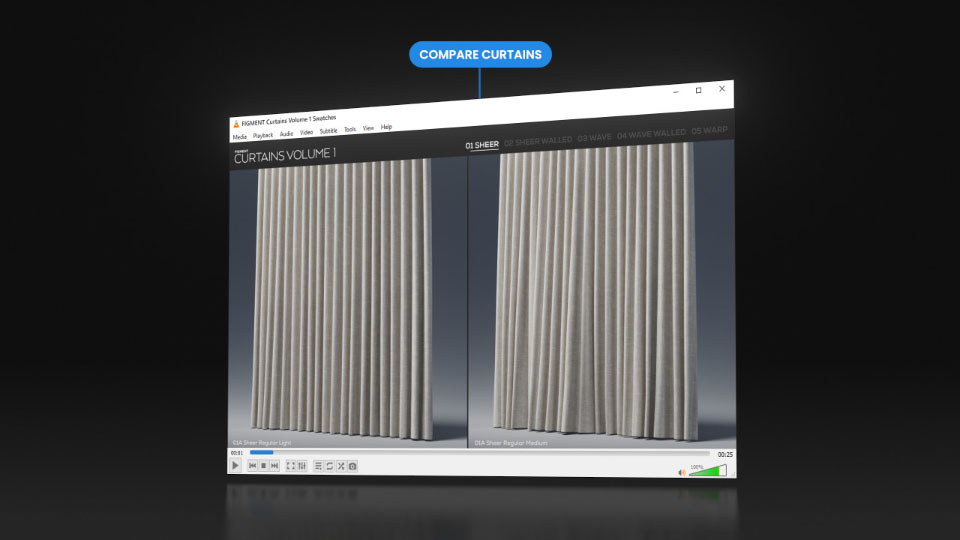
Curtains Volume 1 swatch video — two curtains side by side, with the five types along the top
SWATCH VIDEO
Quickly find the curtain you need

Compare how each curtain moves and pick the right one for your shot, without loading every Alembic file into your scene.

Included with the Volume and every pack

CURTAINS VOLUME 1

30 animated Alembic curtains with realistic wind motion
•5 curtain packs — 01 SHEER, 02 SHEER WALLED, 03 WAVE, 04 WAVE WALLED, 05 WARP
•2 widths per curtain — regular and wide — Warp is wide only
•3 wind options per width — light, medium, strong
•30 animated curtains — 6 in every pack
•Alembic (.abc) — 360 frames each, loopable, retimeable, 2 UV chans
•4 scanned fabrics — Sheer A + B, Wave A + B — Color + Normal maps
•Masks and displacement maps — hem overlap/thread + wrinkle/fold
•Volume 1 — 4 example scenes for 3ds Max 2024 & V-Ray 7 GPU
Free sample
One-person business · 1 user
Small business or team · 1–5 users
Large business or studio · Unlimited users
BLACK FRIDAY30% OFF
Discounted at checkout
€99
€299
€799
€150 separately
€450 separately
€1,200 separately
FREELANCE LICENSE · ALL 5 PACKS
TEAM LICENSE · ALL 5 PACKS
STUDIO LICENSE · ALL 5 PACKS
BUY VOLUME 1 BUY VOLUME 1 BUY VOLUME 1
5.74 GB · instant download

Or buy packs separately

6 animated curtains per pack

Pack prices follow the license you pick above.
All prices exclude VAT and sales tax — added at checkout where either applies.

Product trailer

Watch the product launch video with rendered examples.

Animation overview

Watch the curtains compared in both raw and real world scenes.

Try before you buy

Two curtains — 01A SHEER Regular Strong and 05A WARP Strong, 180 frames, not looping — plus the Sheer A cloth texture (color and normal maps) in 4K, watermarked, and both Warp example scenes for 3ds Max. Test them in your own scene and renderer before you buy.

The sample is covered by the Personal license — evaluation and personal work, not client projects; every paid tier includes commercial use. Purchases are final, so try the sample first.

CURTAINS VOLUME 1BEST DEAL
All five packs, all 30 curtains

Five curtain types in two widths and three wind options — 360 frames each, loopable, with scanned cloth textures. Save 30% compared to buying each pack individually.

One-person business · 1 user
Small business or team · 1–5 users
Large business or studio · Unlimited users
BLACK FRIDAY30% OFF
Discounted at checkout
€99
€299
€799
€150 separately
€450 separately
€1,200 separately
FREELANCE LICENSE · ALL 5 PACKS
TEAM LICENSE · ALL 5 PACKS
STUDIO LICENSE · ALL 5 PACKS
BUY VOLUME 1 BUY VOLUME 1 BUY VOLUME 1
All prices exclude VAT and sales tax — added at checkout where either applies.

How to set up animated curtains

01
Import the curtain
Import the Alembic (.abc) file of the curtain you want and place it in your scene.
02
Add subdivisions
Apply at least two subdivisions to Sheer and Wave curtains before rendering.
03
Set the playback speed
Use your software's Alembic playback settings for slow or fast motion.
04
Apply the cloth texture
Map the full-curtain cloth textures on UV1, or the tileable ones on UV2 at real-world scale.
05
Add hems and folds
Layer the hem overlap and hem thread masks and the wrinkle/fold displacement maps on UV1 for close-up detail.
 
Optional: Check out the example scenes
The four 3ds Max 2024 scenes in CURTAINS Volume 1 show working setups using V-Ray 7 GPU, with Chaos Cosmos assets. The Warp pack adds two of its own — one with Conform, one with tyConform (tyFlow).
Watch the quick setup
Import the curtains into 3ds Max, set the playback speed and apply the textures and masks — everything you need to get started.
Add subtle animation to any curtain
Bring a static curtain of your own to life with the Warp pack, in 3ds Max using both the built-in Conform and tyConform (tyFlow).
Watch more FIGMENT tutorials

Licensing

Every product comes in three license tiers. Pick by the size of your organization, then by how many people will have access — you choose on this page, before checkout.

FREELANCE
One-person business
TEAM
Small business or team
STUDIO
Large business or studio
Users per location
1
1–5
Unlimited
Commercial client work
Shared with coworkers
Single curtain pack
6 curtains per pack
€30
€90
€240
CURTAINS Volume 1
5 packs · 30 curtains
€99
€299
€799
FREELANCE
One-person business
Users per location
1
Commercial client work
Shared with coworkers
Single curtain pack
6 curtains per pack
€30
CURTAINS Volume 1
5 packs · 30 curtains
€99
TEAM
Small business or team
Users per location
1–5
Commercial client work
Shared with coworkers
Single curtain pack
6 curtains per pack
€90
CURTAINS Volume 1
5 packs · 30 curtains
€299
STUDIO
Large business or studio
Users per location
Unlimited
Commercial client work
Shared with coworkers
Single curtain pack
6 curtains per pack
€240
CURTAINS Volume 1
5 packs · 30 curtains
€799
Not sure which you need?
Freelance is for one-person businesses. Any organization with more than one person starts at Team, even if only one person opens the files.
Already own a lower tier or a smaller product?
Upgrade any time. What you own counts at its current regular price.Contact support
Use it in client work
Film, broadcast, advertising, games and ArchViz — on every paid tier.
Pay once, keep it forever
One payment covers every project. No subscriptions, no royalties, re-download any time.
Not allowed
Reselling or redistributing the files themselves — in another asset pack, template or library. Full license

Frequently asked questions

Still unsure about something? Ask me anything

What are animated 3D curtains?
+
Pre-simulated cloth delivered as Alembic geometry, 360 frames per curtain, so a curtain arrives in your scene already moving. Load it, subdivide it, add a shader and render.
What is in the example scenes?
+
Four scenes for 3ds Max 2024 using V-Ray 7 GPU and Chaos Cosmos, which come with the Volume only. The Warp pack and the free sample add a Warp scene for 3ds Max showing how it works with Conform and tyConform (tyFlow) using both 3ds Max's native Alembic importer and V-Ray's.
Which software do these work with?
+
The curtains work in any 3D software that imports Alembic (.abc). The included example scenes are for 3ds Max 2024.
What is the difference between Sheer and Wave?
+
Sheer is simulated as thin cloth that moves and folds easily in the wind. Wave is denser and resists both.
What does Walled mean?
+
Walled curtains are simulated with invisible walls that block part of the wind. No cloth ever touches a wall.
What is Warp for?
+
Warp adds subtle motion to static 3D curtains you already own. Its two example scenes show it with Conform and with tyConform (tyFlow) — using either 3ds Max's native Alembic importer or V-Ray's.
What formats and resolutions are included?
+
The curtains are Alembic (.abc), 360 frames each. The cloth textures are PNG, 8 and 16-bit: Color + Normal for every fabric, twice — square and tileable at 120 × 120 cm in 2K, 4K and 8K, and full-curtain for regular and wide. The full-curtain cloth textures, hem masks and wrinkle/fold displacement maps are 2K, 4K and 8K for regular curtains, and 4K, 8K and 16K for wide. Normal and displacement maps are 16-bit PNG.
How large are the curtains?
+
About 210 × 250 cm for Regular and 420 × 250 cm for Wide, as imported (curtains measured 500 cm and 1000 cm wide, respectively, before the simulation). Every curtain has two UV sets: UV1 for the full curtain (the full-curtain cloth textures, masks and displacement maps), UV2 at real-world scale for the tileable cloth textures.
Can I change the speed of the animation?
+
Yes. Set slow or fast motion in your software's Alembic playback settings.
Do the curtains loop seamlessly?
+
Yes. Every curtain is 360 frames and starts with a nearly still curtain which is then disturbed by wind before smoothly settling back into its starting position before looping.
Is there a free sample?
+
Yes — two curtains, 01A SHEER Regular Strong and 05A WARP Strong, at 180 frames and not loopable, plus the Sheer A cloth texture (color and normal maps) in 4K, watermarked, and the two Warp example scenes.
Can I buy just one pack?
+
Yes. Every curtain pack is sold on its own — see What’s inside above for everything each pack includes. CURTAINS Volume 1 — all five packs — saves 30% compared to buying each pack separately, and adds four example scenes.
Can I use these in commercial client projects?
+
Yes, at every license tier, with no per-project fees or royalties. However, sharing the files with a client is not permitted — they need their own license. And reselling the assets as part of another asset pack is not permitted.
Can I render on a render farm or cloud service?
+
Yes, at every tier — including a commercial farm. Sending the assets to a farm as part of your scene is ordinary use and needs no extra license.
Which license do I need — Freelance, Team or Studio?
+
Freelance is for one-person businesses. If you work at a company, even as the only artist using the files, choose Team for up to 5 users per location, or Studio for 6 or more. Schools and institutions are licensed the same way.
Can I upgrade later?
+
Yes — to a higher license tier, or to a larger product that includes what you own, such as the Volume that holds your packs, or the Asset Collection. What you own counts at its current regular price, whatever you paid for it, and you pay only what’s left of the new price. Email me at support@figment.dk.

Related products

Prices exclude VAT and sales tax. Where either applies, it’s added at checkout and included in the total you see before paying. Questions? support@figment.dk
© 2008–2026 FIGMENT. All Rights Reserved.