BLACK FRIDAY SALE30% OFF every FIGMENT asset and tierDiscounted at checkoutEnds in 6d 23h 59m 59s

Create IFL Files for 3ds Max, in Seconds

A free Python script that scans a folder and its subfolders for image sequences and writes a 3ds Max IFL file for each — dozens in seconds, not one at a time by hand. Windows 10 and 11, Python 3.7+.

PRODUCT DETAILS FREE DOWNLOAD
Donations
welcome

What is an IFL file?

An IFL (Image File List) is a plain text file that lists the frames of an image sequence, one per line. 3ds Max loads it as a single animated map, so a sequence of hundreds of frames goes into a material as one file. 3ds Max can make IFL files, but only one at a time — 3DS MAX IFL MAKER scans your folders for sequences and writes one for each, with absolute paths so every file works from anywhere. Dozens or hundreds, in seconds.
3DS MAX IFL MAKER

Quickly generate 3ds Max IFL files for your animated textures — for a single sequence, or a hundred
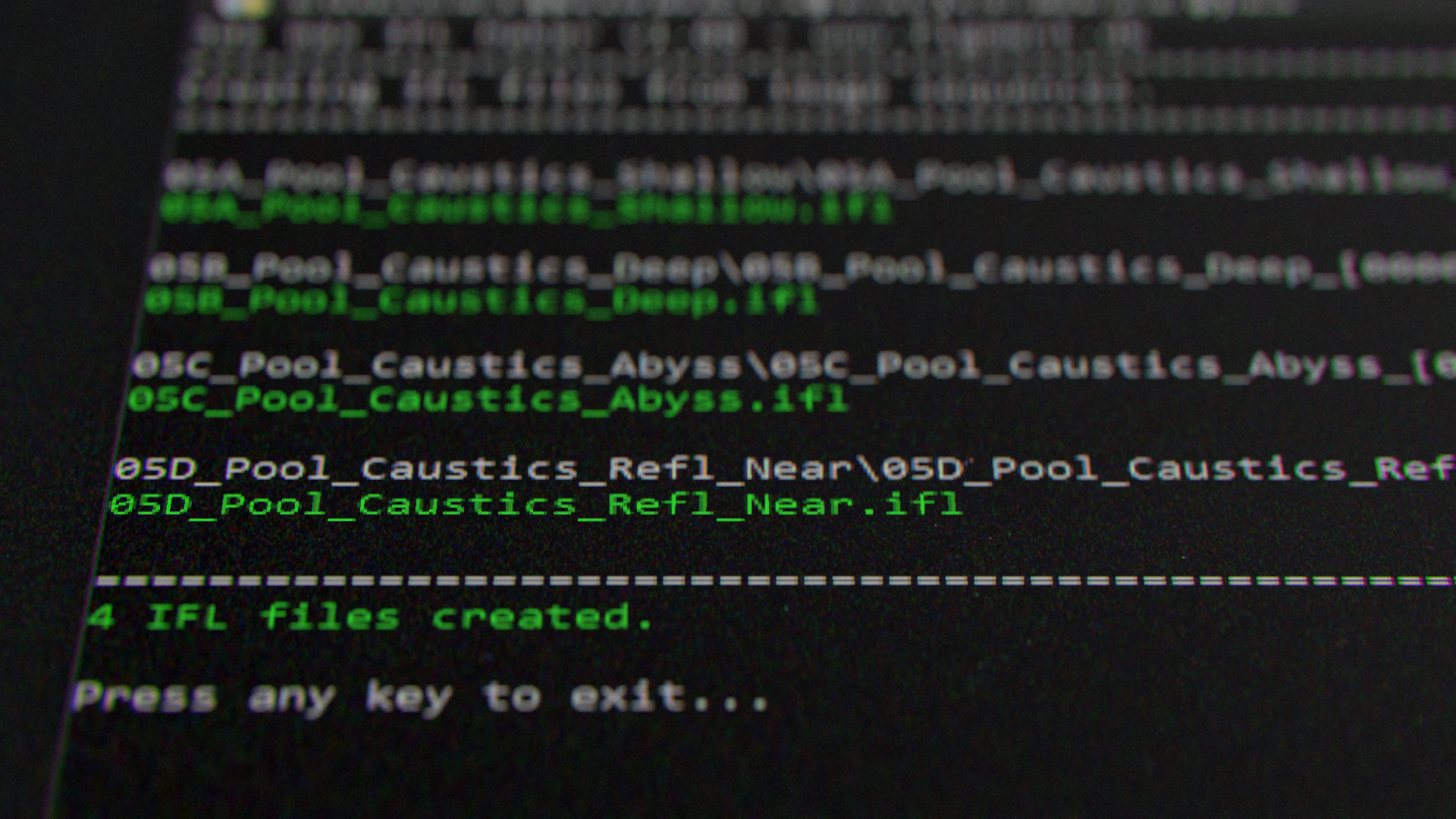
3DS MAX IFL MAKER listing the IFL files it created
•Several sequences per folder—each one is found on its own
•Every subfolder—scans the working folder and all folders under it
•Named after the sequence—not after the folder it sits in
•Absolute paths—IFL files land beside the script
•No name clashes—duplicate sequence names get _02, _03 and so on
•Overwrite or keep—replace existing IFL files (default), or add "_new" suffix
•Common image formats—.exr, .png, .jpg and more, set in the config

Built with AI

€0+
donations welcome
COMMERCIAL USE INCLUDED
FREE DOWNLOAD
4 KB · instant download
Free to download, or pay what you like. VAT and sales tax are added to any amount you choose, at checkout where either applies.

How to install and use

01
Put the script with your sequences
The download holds a single Python file, _3dsmax_IFL_Maker.py. Place it in a folder that holds sequences — or folders with sequences: it scans that folder and every folder inside it recursively.
02
Run the script
Double-click the script to run it (requires Python 3.7+). The results are color-coded: green for success, amber for warnings, red for errors. You should get one IFL file per sequence, that you can move anywhere on your network — as long as the bitmap sequences stay where they are.
03
Load an IFL in 3ds Max
Load any of the IFL files as a Bitmap in 3ds Max, and the whole sequence should load automatically. If you ever move the source sequence, you will need to update the IFL files to match the new paths.
Nothing recorded yet
Request a tutorial
What do you want to see?
I haven’t recorded a 3DS MAX IFL MAKER tutorial yet. Telling me what you'd like to see helps decide what I spend my time creating next — so if a walkthrough would help you, let me know what it should cover.
Watch more FIGMENT tutorials

Technical specifications

Requirements

Operating system
Windows 10 or 11
Python
3.7+

Version history

v1.0
2026-01-09
  • Initial release.

Frequently asked questions

Still unsure about something? Ask me anything

Where do the IFL files end up?
+
In the same folder as the script. Each one points at its frames with absolute paths, so you can move the IFL file anywhere and it still finds them (presuming that the machine opening the IFL file can access the sequence file paths).
Will it overwrite IFL files I already have?
+
By default, yes: an IFL file with the same name in the script folder is replaced. If needed, you can change the option in the script to keep the old file and add "_new" to the newest one instead.
Which image formats does it find?
+
.exr, .png, .jpg and other common formats. The list sits in the script's config, so you can add or remove formats.
Is it safe to run a Python script?
+
Only run a script from a source you trust. This one is plain text: open it in any text editor and read every line first, or paste it into an AI and ask what each part does. It reads your folders and writes IFL files.
It's free. How can I support it?
+
Pay what you want when you download it, or come back once it has saved you an evening and buy me a coffee. Leaving a rating or review on Gumroad helps too. Either way, the script stays free.

Related products

Prices exclude VAT and sales tax. Where either applies, it’s added at checkout and included in the total you see before paying. Questions? support@figment.dk
© 2008–2026 FIGMENT. All Rights Reserved.